• Bridging the Gap Between AI Prototyping and Real Project Delivery

    At Divblox, we’re focused on helping teams move faster with total visibility, from early AI-assisted ideas all the way to production-ready software. This release is all about making that journey smoother, smarter, and easier to manage. We’ve introduced stronger AI capabilities, improved collaboration tools, a cleaner Requirements App experience, and several workflow enhancements designed to reduce day-to-day friction.

    Here’s a breakdown of what’s new.

    High-Impact New Features

    Requirements App Enhancements

    We’ve made major improvements to the Requirements App to create a faster and more intuitive scoping experience. The highlights include:

    • Cleaner interface: Share and Edit actions have been reorganised and grouped more logically for a less cluttered workspace.
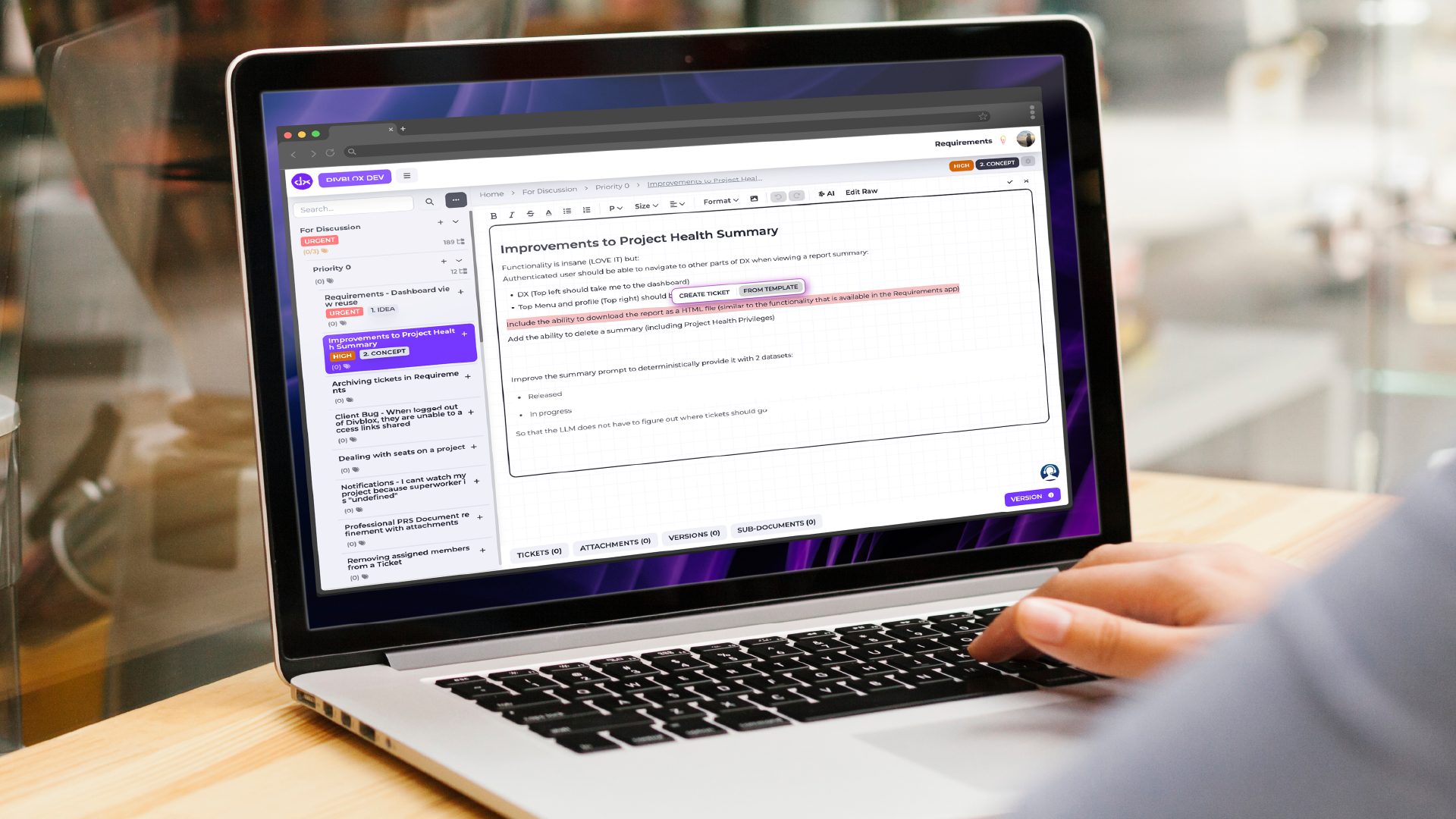
    • Floating dialogs and ticket creation tools: Create tickets directly from the Visual Editor using the new floating “Create Ticket” button, making it easier to turn ideas into actionable work instantly.
    • New “Complete” status: Requirements can now be marked as Complete, giving stakeholders a clearer high-level view of project progress.

    Improved Collaboration in the Estimations App

    We’ve added new features to make estimation sessions more transparent and easier to manage.

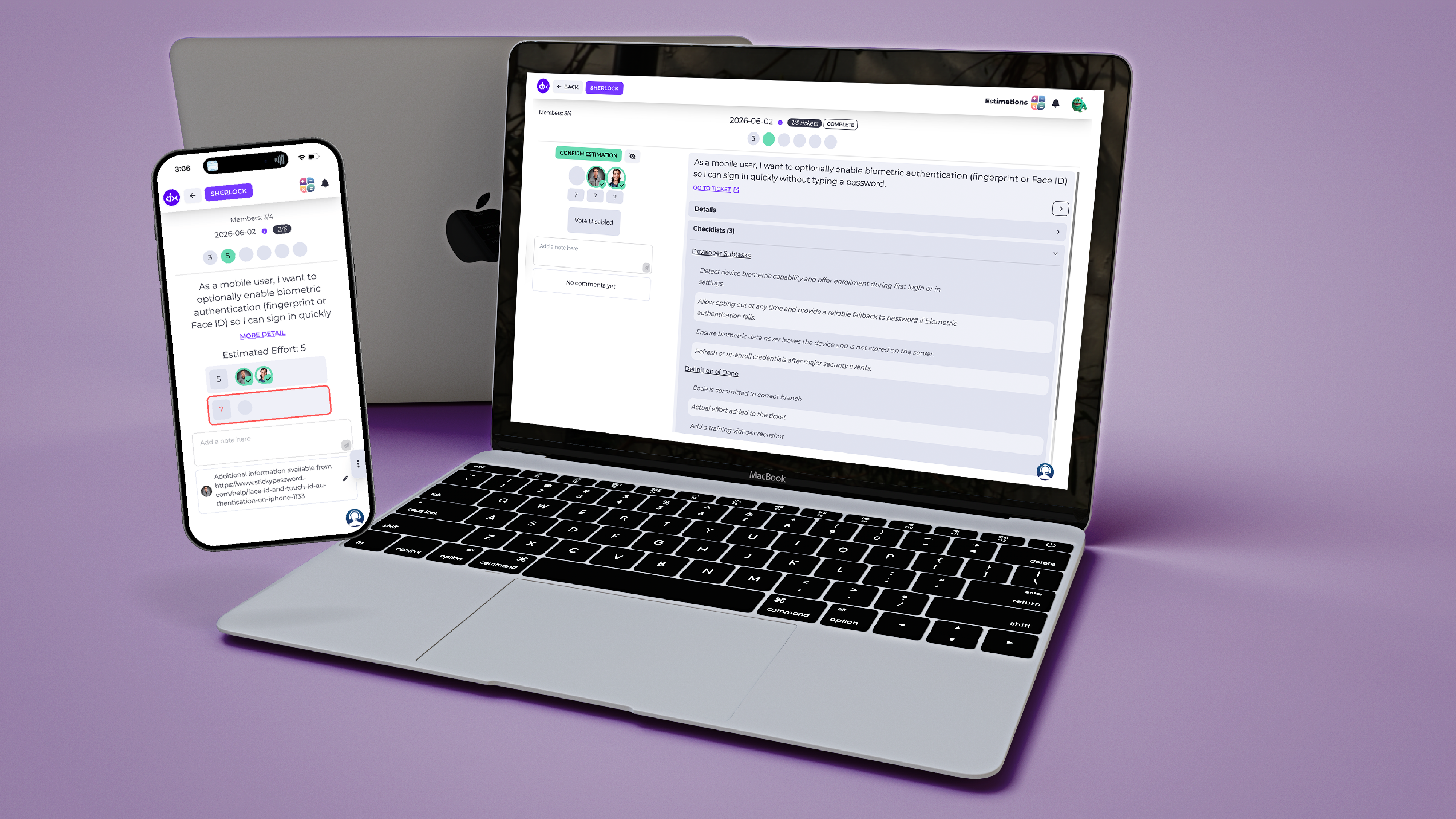
    • Live attendance visibility: See who has joined an active estimation session in real time.
    • Presenter session controls: Presenters can now officially close estimation sessions once discussions and alignment are complete.

    Smarter AI Summaries & Better Prompting

    We’ve upgraded AI capabilities inside Project Health.

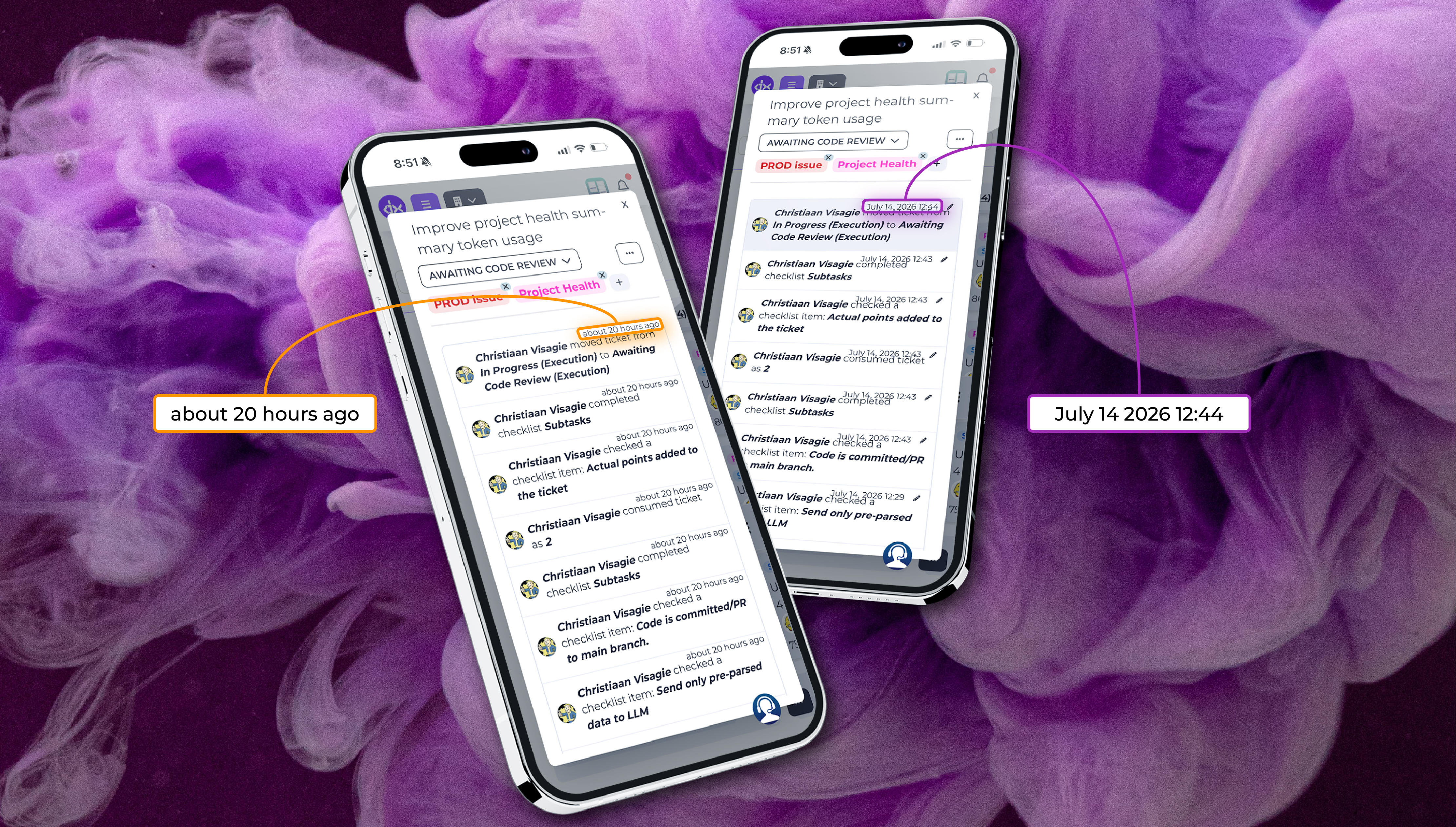
    You can now generate quick AI-powered summaries based on Delivery ticket activity with a single click, making it easier to understand project progress without digging through updates manually.

    We’ve also improved the AI prompting system in the Requirements App, helping the AI better understand project context and generate more accurate results with less manual adjustment.

    Workflow Improvements and Quality-of-Life Updates

    Alongside the major features, we’ve included several smaller improvements that make daily workflows smoother.

    Smarter ticket handling

    • Checklist items converted into tickets now automatically keep their due dates.
    • Duplicated tickets will no longer copy old due dates or timestamps, helping prevent outdated deadlines from carrying over accidentally.

    Better Kanban visibility

    • Tickets in Kanban view now display up to four lines of text for improved readability.
    • Added Sprint lane tooltips for additional context.

    Improved layout memory

    • The platform now remembers your preferred items-per-page setting when switching between tabs in Project Health.

    Additional usability improvements

    • Better transparency handling for images.
    • Cleaner grouping of Visual Editor controls.
    • More detailed visibility into Custom Pricing Configurations, including app inclusions and project limits.

    Key Bug Fixes

    • More accurate estimation scoring: Fixed an issue where linking one ticket to multiple estimation sessions could incorrectly affect completion scores in earlier sessions. Historical metrics now calculate correctly.
    • Improved project syncing: Resolved an issue where the active project did not always update correctly when initially loading a Requirement.

  • From Idea to Scope and Design

    In the world of product development, clarity is currency. The Requirements app is where abstract ideas are shaped into actionable work, ensuring that what gets built is exactly what is envisioned.

    Bridging the Gap: The Requirements Workspace

    The Requirements app acts as the definitive bridge between high-level project scoping and detailed designs. By centralising definitions, organising documentation and linking Delivery Tickets to the particular Requirements, teams can move from What If to Done with total confidence.

    Core Features for Clear Scoping

    Hierarchical Scoping

    Visual Editor

    Structure your work from board concepts down to granular tasks. This nested approach keeps everything connected and organised.

    Format content effortlessly. Our visual editor lets you structure specifications without needing any technical or coding skills.

    Status and Priority

    Direct Publishing

    Tag requirements with labels like Urgent or Low. Allowing you to track lifecycles from Idea to Scope and Design.

    Once a requirement is scoped and agreed upon, publish Tickets directly to Delivery ready to be estimated or begin the development immediately.

    Version Control & The “No Finger Pointing” Trail

    One of the most powerful aspects of the Requirements app is Versioning. You can version any specific document to preserve its state at a point in time, providing a clear map of how an idea evolved. To ensure transparency, the Requirements app includes a Motivation Section. Whenever a change or a deletion occurs, users can to provide a reason. The combination of the motivation and versions creates a timestamped document trail – ensuring every decision is backed by clear rationale.

    Smart enhancements & Workflow Integrations

    The Requirements app doesn’t just store documents, it helps you improve them:

    • AI Enhancements: Turns rough notes into professional product specifications. Our AI helps refine your wording for better developer clarity.
    • Ticket conversion: Easily convert requests from the Support App or Delivery Tickets directly into a requirement, ensuring no good idea gets lost in the noise.
    • Clean Workspace Management: Use the close Requirement feature to hide completed work from your view without deleting it, keeping your workspace clutter-free while maintaining a full archive.

  • Streamlining the Lifecycle: What’s New in Divblox

    At Divblox, our mission is to eliminate the friction between planning, delivery, and management. Software projects thrive when teams have total visibility and a single source of truth.

    Our latest release introduces a suite of features and improvements designed to make your workflow more intuitive, especially when it comes to reporting, requirement management, and leveraging AI to accelerate development.

    New Features: Enhanced Reporting and Automation

    We’ve focused this release on giving you more control over your data and automating the “busy work” that slows teams down.

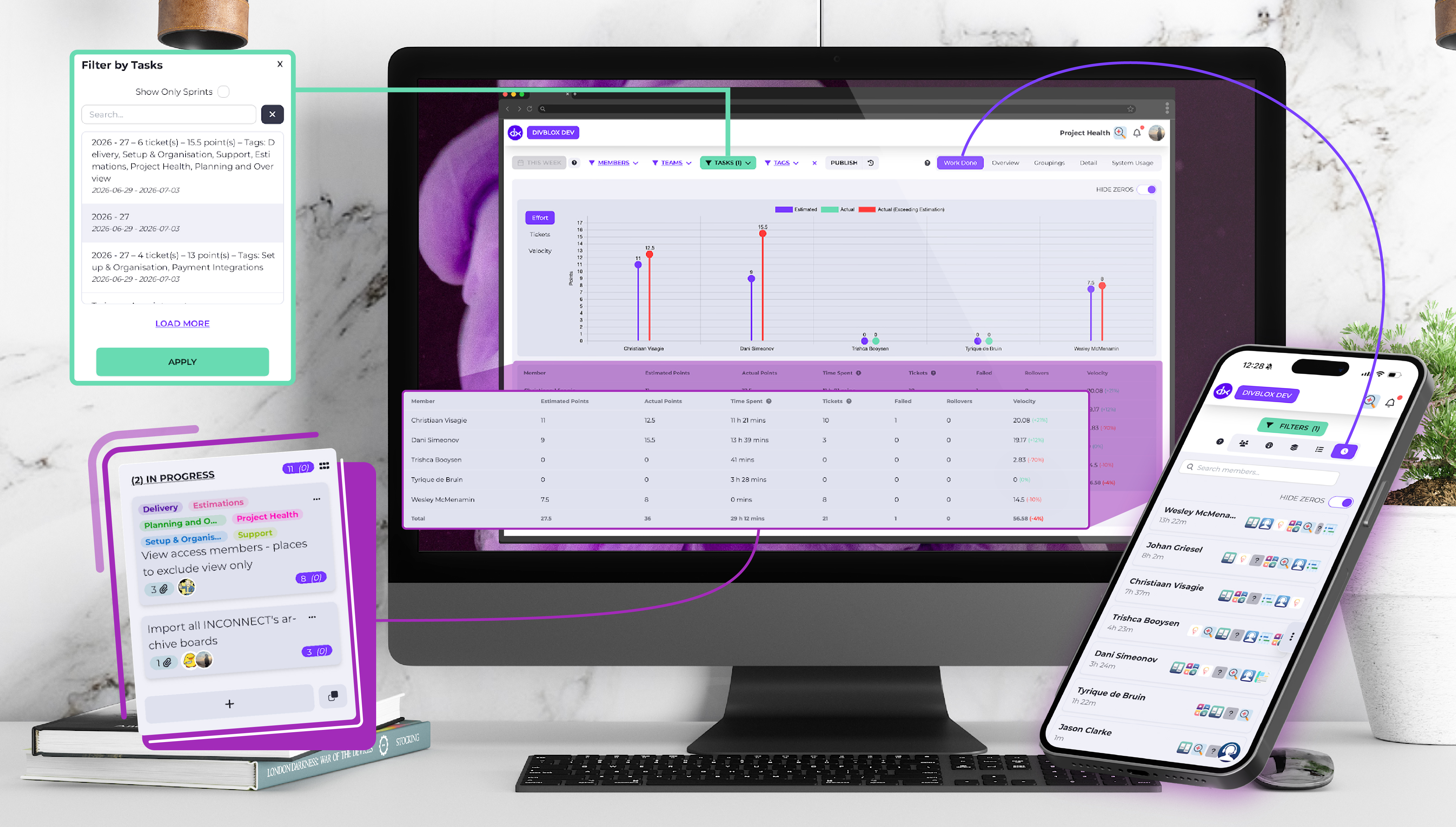
    Export Project Health to JSON

    Data is only as good as your ability to use it. You can now export your Project Health report data as a JSON file. This allows management teams to pipe Divblox health metrics into custom dashboards, external auditing tools, or long-term data lakes for deeper historical analysis.

    Auto-close of Requirements

    To keep your “Living Documentation” truly alive, we’ve introduced Auto-close for Requirements. When the underlying tickets associated with a requirement are completed, Divblox can now automatically transition the requirement to a closed state. This ensures your project scope reflects reality without manual cleanup.

    Visual Personalisation: Member Colours & Swimlanes

    Project clarity is often a matter of visual organisation. You can now assign specific colours to project members, making it easy to spot who is doing what on a crowded Kanban board. Furthermore, a new setting allows you to prioritise swimlane colours by either planning category or member, giving you the flexibility to view your delivery through the lens that matters most at that moment.

    General Improvements: A Smarter, Faster Interface

    We haven’t just added new tools; we’ve refined the ones you use every day.

    AI-Powered Refinement

    Our “Refine with AI” tool has received a significant upgrade to help you move from concept to code faster:

    • Redo Refinements: Not quite happy with the AI’s first pass? Use the new “Redo” capability to iterate instantly.
    • Cleaner Output: We’ve refined the underlying prompts to ensure the AI produces valid, unbroken HTML every time.
    • Better Dialogs: The “Refine with AI” and Acceptance dialogs have been updated for better clarity and a smoother user experience.

    Rich Text Everywhere

    We believe documentation should be expressive. We have replaced standard text fields with Visual editors in two key areas:

    1. The Entity edit modal notes field in the Data Design app.
    2. The Task modal description field in Planning & Overview.

    Workflow & Setup Tweaks

    • Auto-upload Attachments: No more clicking “Upload” after selecting a file; attachments now apply automatically.
    • Modifiable Timestamps: You now have the ability to modify event timestamps for better accuracy in historical logging.
    • Support Config: Updated to support FAQ groupings, making it easier for your users to find the help they need.

    Technical Fixes & Stability

    As part of our commitment to a production-grade platform, we’ve cleared out several bugs:

    • Swimlane Milestones: Fixed the display of milestones in the Teams View.
    • Project Setup: Improved the handling of “Pending Users” and prevented multiple in-progress list triggers.
    • Requirement Templates: Fixed a bug when creating tickets from templates within the Requirements app.
    • Data Integrity: Ensured that teams won’t be accidentally deleted, and fixed an issue where support lists wouldn’t update when sub-topics changed.

    Ready to see these features in action? Log in to your Divblox workspace today and experience a more connected way to build software.

    Want to stay ahead of the curve? Check out our Release Notes for the full technical breakdown.

  • Introducing Divblox

    One Platform, Total Visibility

    Software projects become difficult when planning, delivery, support, and management all happen in separate places. Teams end up juggling spreadsheets, ticketing systems, disconnected boards, and scattered documentation. The result is slower delivery, poor visibility, and a lot of wasted effort.

    Divblox is built to solve exactly that problem.

    Divblox brings everything needed to manage, plan, and deliver production-ready software into a single connected workspace. Instead of moving between different tools and systems, teams can work from one platform that keeps planning, execution, collaboration, and reporting aligned.

    Plan With Confidence

    Good software delivery starts with clear planning. Divblox gives teams real-time visibility into project status and progress, making it easier to understand what is happening across every stage of a project.

    Teams can break projects down into clear stages, milestones, and tasks while ensuring that plans stay closely aligned with the work happening every day. This reduces confusion, improves accountability, and makes it easier to spot delays before they become problems.

    Manage Requirements From Start to Finish

    One of the biggest challenges in software delivery is keeping requirements organized as projects grow and change. Divblox helps teams manage requirements throughout the entire lifecycle of a project.

    From the first idea or concept, teams can capture and structure requirements in a single place. As the project evolves, those ideas can be refined into scope, broken down into detailed requirements, and linked directly to tasks, tickets, and delivery work.

    This creates a clear path from concept through to execution. Teams always have visibility into why something is being built, what has been agreed on, and how each requirement connects to the final outcome.

    Because requirements are managed alongside planning and delivery, Divblox becomes a true single source of truth for the entire software development process.

    Deliver More Efficiently

    Divblox includes delivery tools designed to help teams stay organized and move faster.

    A visual, collaborative environment with Kanban boards helps teams manage work in progress and track delivery at a glance. Integrated support tools make it easy to capture user feedback directly into the development process, ensuring that important issues and requests are not lost.

    The platform also maintains a searchable archive of project requirements, conversations, and decisions. This means teams always have access to the history behind a project, reducing the time spent hunting for information and helping new team members get up to speed quickly.

    Manage With Better Insight

    Beyond planning and delivery, Divblox gives managers the tools they need to make better decisions.

    Project scoping and timeline forecasting become more accurate with smarter planning tools and real-time visibility into progress. At the same time, planning and execution tools double as living documentation, giving teams a constantly updated record of how projects are evolving.

    Integrated team performance insights also help managers evaluate productivity, identify bottlenecks, and understand where teams may need additional support.

    What makes Divblox stand out is its ability to centralize everything into one platform.

    With all project data, requirements, planning, delivery, and reporting in one place, teams gain deeper visibility across projects, stronger alignment between planning and execution, and faster, more reliable delivery.

    In short, Divblox helps software teams work smarter, stay aligned, and deliver better outcomes with less friction.