
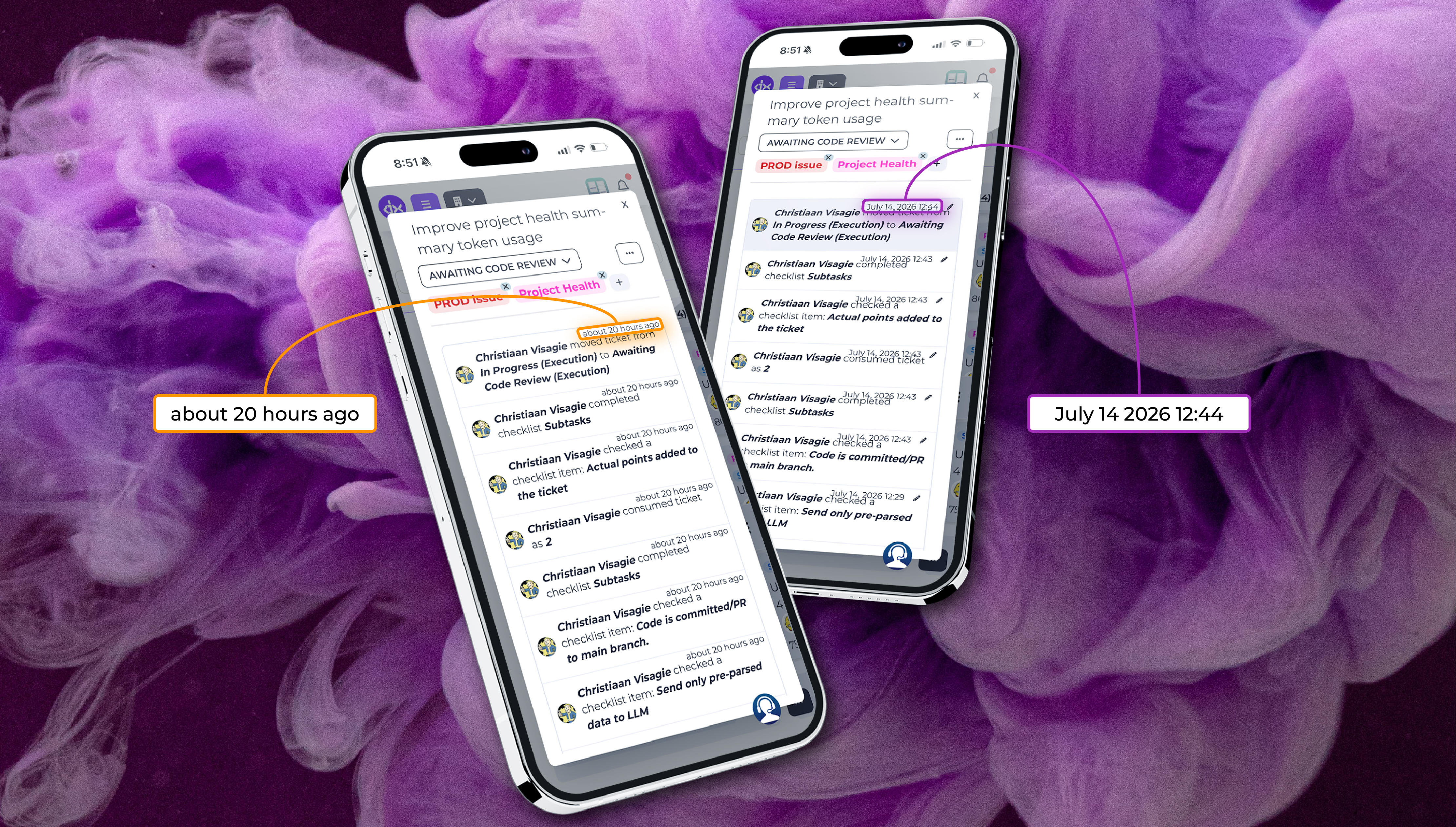
When you’re managing a fast-moving sprint, timing is everything. Usually, knowing that a ticket was moved or a comment was left “about 20 hours ago” is enough context for a quick glance. But what happens when you need to know the exact moment something occurred to piece together a deployment timeline or a QA bottleneck?
Here is a quick pro-tip you might not know about: You can instantly toggle between relative time and an exact timestamp on any ticket activity.
How It Works
By navigating to the Activity and Comments section on any Delivery ticket, you will notice the standard relative time markers (e.g., “about 20 hours ago”).
Simply click on the relative date text of any activity or comment. The view will instantly switch to display the exact date and precise time when that specific action took place (e.g., “July 14, 2026 12:44”). Clicking it again toggles it right back.
Why Use It?
This minor shortcut provides major clarity when auditing your delivery pipeline. It is incredibly useful for:
- Pinpointing QA Handoffs: See exactly what minute a ticket transitioned from execution into code review.
- Granular Checklist Tracking: Audit exactly when a team member completed a subtask or checked off a crucial checklist item.
- File & Attachment Auditing: Verify the precise timeline of when attachments, documentation, or logs were uploaded to the ticket.
Have you been utilising exact timestamps for your team retrospectives, or are you still relying on relative time? Let us know how this feature helps your sprint auditing in the comments below!