
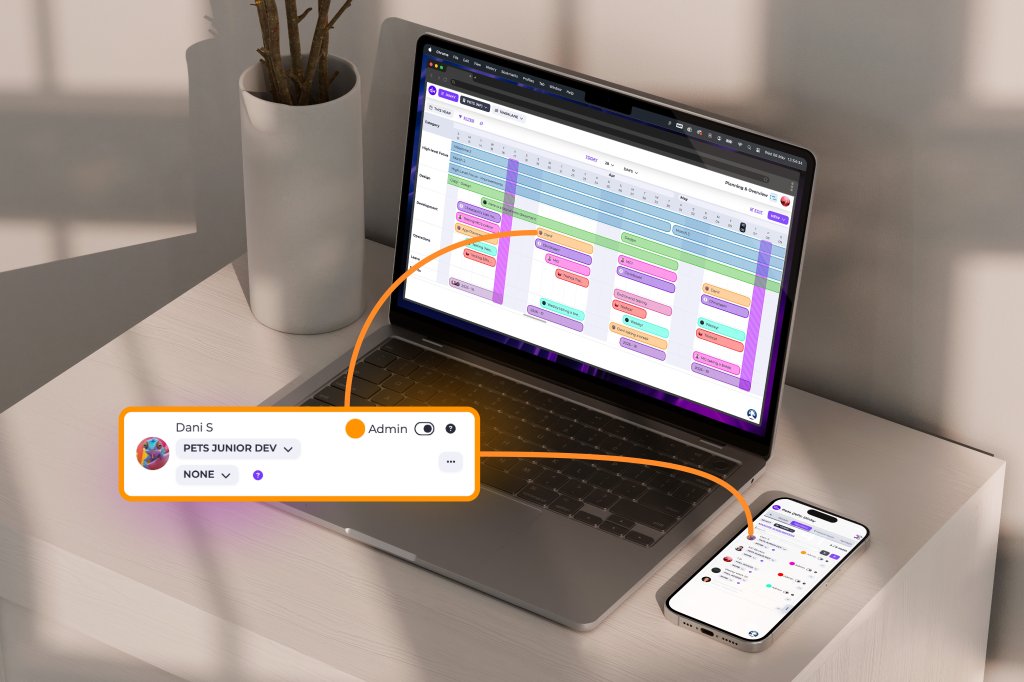
At Divblox, our mission is to eliminate the friction between planning, delivery, and management. Software projects thrive when teams have total visibility and a single source of truth.
Our latest release introduces a suite of features and improvements designed to make your workflow more intuitive, especially when it comes to reporting, requirement management, and leveraging AI to accelerate development.
New Features: Enhanced Reporting and Automation
We’ve focused this release on giving you more control over your data and automating the “busy work” that slows teams down.
Export Project Health to JSON
Data is only as good as your ability to use it. You can now export your Project Health report data as a JSON file. This allows management teams to pipe Divblox health metrics into custom dashboards, external auditing tools, or long-term data lakes for deeper historical analysis.
Auto-close of Requirements
To keep your “Living Documentation” truly alive, we’ve introduced Auto-close for Requirements. When the underlying tickets associated with a requirement are completed, Divblox can now automatically transition the requirement to a closed state. This ensures your project scope reflects reality without manual cleanup.
Visual Personalisation: Member Colours & Swimlanes
Project clarity is often a matter of visual organisation. You can now assign specific colours to project members, making it easy to spot who is doing what on a crowded Kanban board. Furthermore, a new setting allows you to prioritise swimlane colours by either planning category or member, giving you the flexibility to view your delivery through the lens that matters most at that moment.
General Improvements: A Smarter, Faster Interface
We haven’t just added new tools; we’ve refined the ones you use every day.
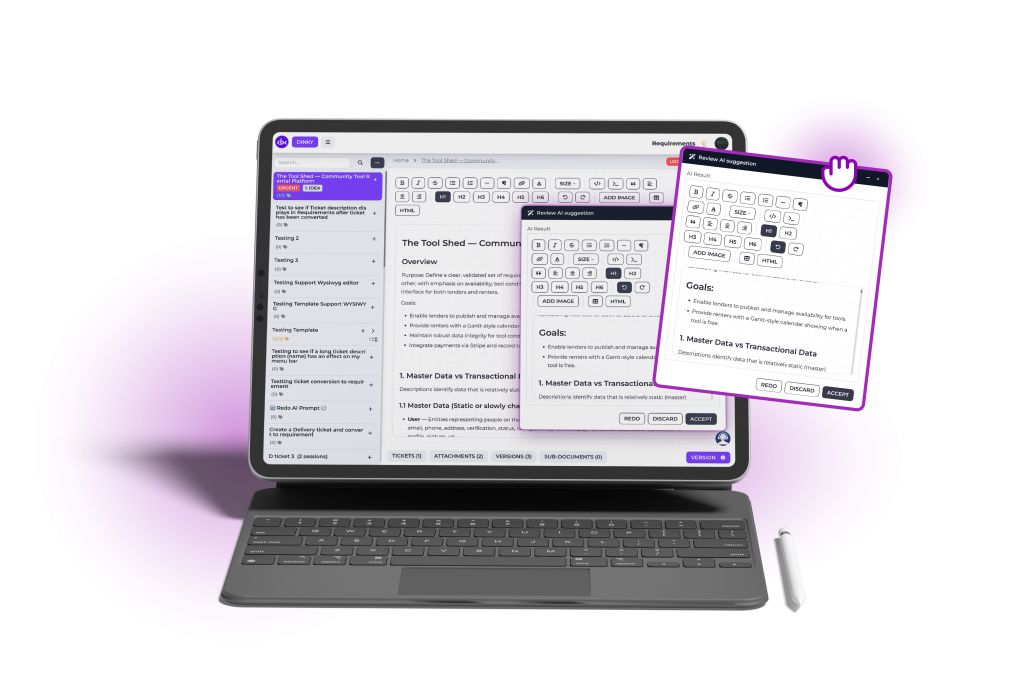
AI-Powered Refinement
Our “Refine with AI” tool has received a significant upgrade to help you move from concept to code faster:
- Redo Refinements: Not quite happy with the AI’s first pass? Use the new “Redo” capability to iterate instantly.
- Cleaner Output: We’ve refined the underlying prompts to ensure the AI produces valid, unbroken HTML every time.
- Better Dialogs: The “Refine with AI” and Acceptance dialogs have been updated for better clarity and a smoother user experience.
Rich Text Everywhere
We believe documentation should be expressive. We have replaced standard text fields with Visual editors in two key areas:
- The Entity edit modal notes field in the Data Design app.
- The Task modal description field in Planning & Overview.
Workflow & Setup Tweaks
- Auto-upload Attachments: No more clicking “Upload” after selecting a file; attachments now apply automatically.
- Modifiable Timestamps: You now have the ability to modify event timestamps for better accuracy in historical logging.
- Support Config: Updated to support FAQ groupings, making it easier for your users to find the help they need.
Technical Fixes & Stability
As part of our commitment to a production-grade platform, we’ve cleared out several bugs:
- Swimlane Milestones: Fixed the display of milestones in the Teams View.
- Project Setup: Improved the handling of “Pending Users” and prevented multiple in-progress list triggers.
- Requirement Templates: Fixed a bug when creating tickets from templates within the Requirements app.
- Data Integrity: Ensured that teams won’t be accidentally deleted, and fixed an issue where support lists wouldn’t update when sub-topics changed.
Ready to see these features in action? Log in to your Divblox workspace today and experience a more connected way to build software.
Want to stay ahead of the curve? Check out our Release Notes for the full technical breakdown.
